How to Delegate Stable Management to Your Team Without Losing Control
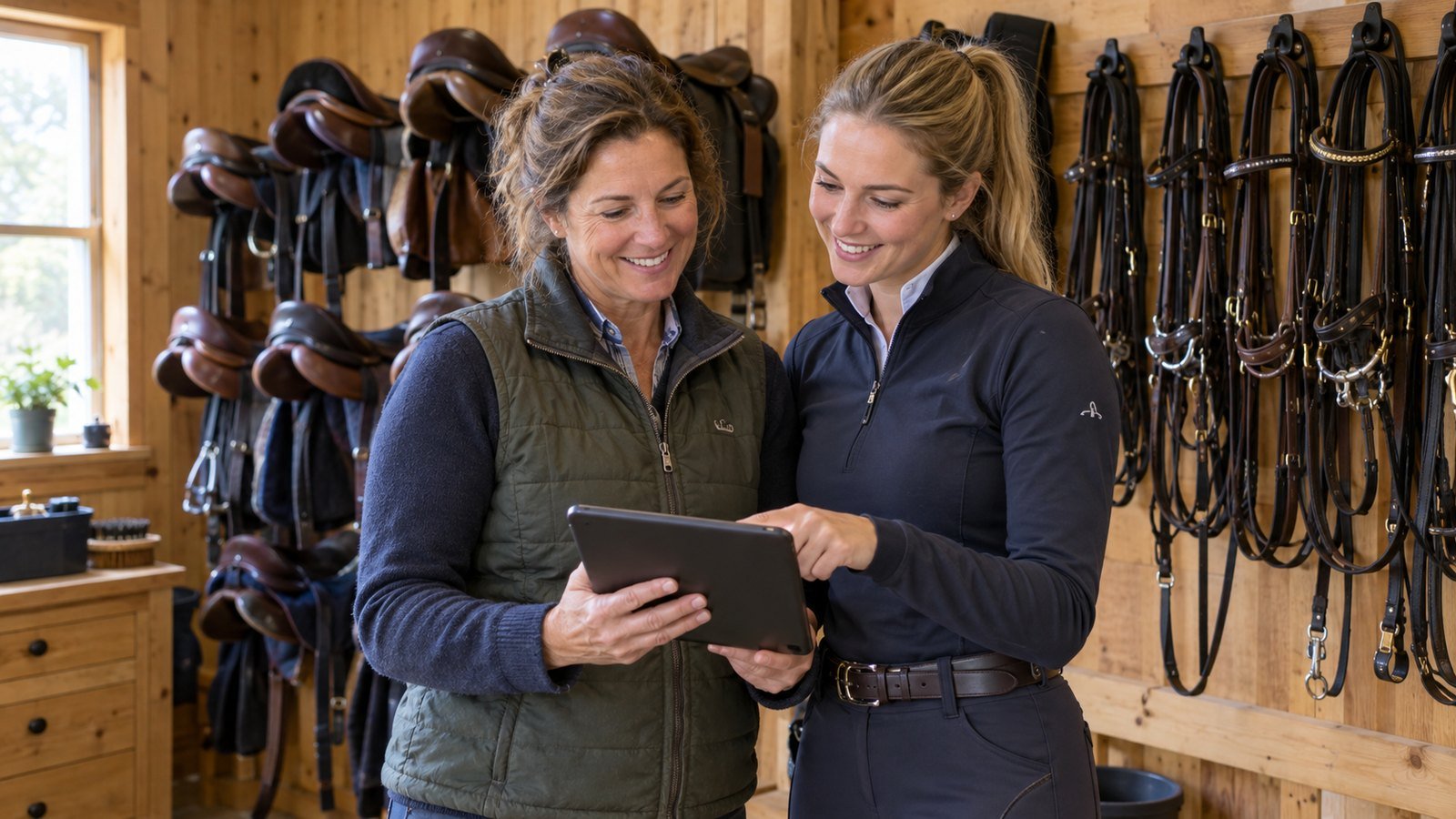
In almost every growing riding school, there comes a point where the owner is not limited by arena space or horse count—they are limited by their own evenings.
You teach lessons all afternoon, check on feed and turnout, and then sit down at 8 pm to update horse profiles, add next week's appointments, and enter walk-in riders. You have capable instructors or barn staff who could help, yet you hesitate to hand over the schedule. Why? Because in a traditional setup, sharing the admin means sharing a master spreadsheet that anyone can accidentally break, or handing out your personal account password.
Good riding stable staff management solves this dilemma. Instead of choosing between doing everything yourself or giving away total control, you can grant each team member only the exact permissions their role requires—backed by server-enforced rules in one unified stable dashboard.
Why shared passwords and spreadsheets fail growing stables
When two or three people try to run a stable out of a shared spreadsheet or a single login, three problems appear almost immediately:
- Accidental overwrites: One instructor edits Friday's arena times on a phone while another updates horse notes on a laptop, and half the schedule vanishes.
- Zero accountability: When a lesson is moved or a horse's workload cap is changed, nobody knows who made the edit or why.
- All-or-nothing access: A part-time helper who only needs to update horse photos or arena descriptions should not have access to your subscription billing, hiring decisions, or owner-only controls.
Step 1: Recruit and hire directly through your stable profile
Finding reliable instructors and stable hands is easier when candidates already know where to apply. On eligible plans, Galloply lets you open your stable for applications and publish a job posting right on your public stable profile.
Prospective employees apply through the app with a personal introduction message. From your owner workspace, you can review each applicant's profile and introduction, accept the right people into your team, or decline applications—all without losing messages in social media inbox folders.
Step 2: Grant granular permissions per employee
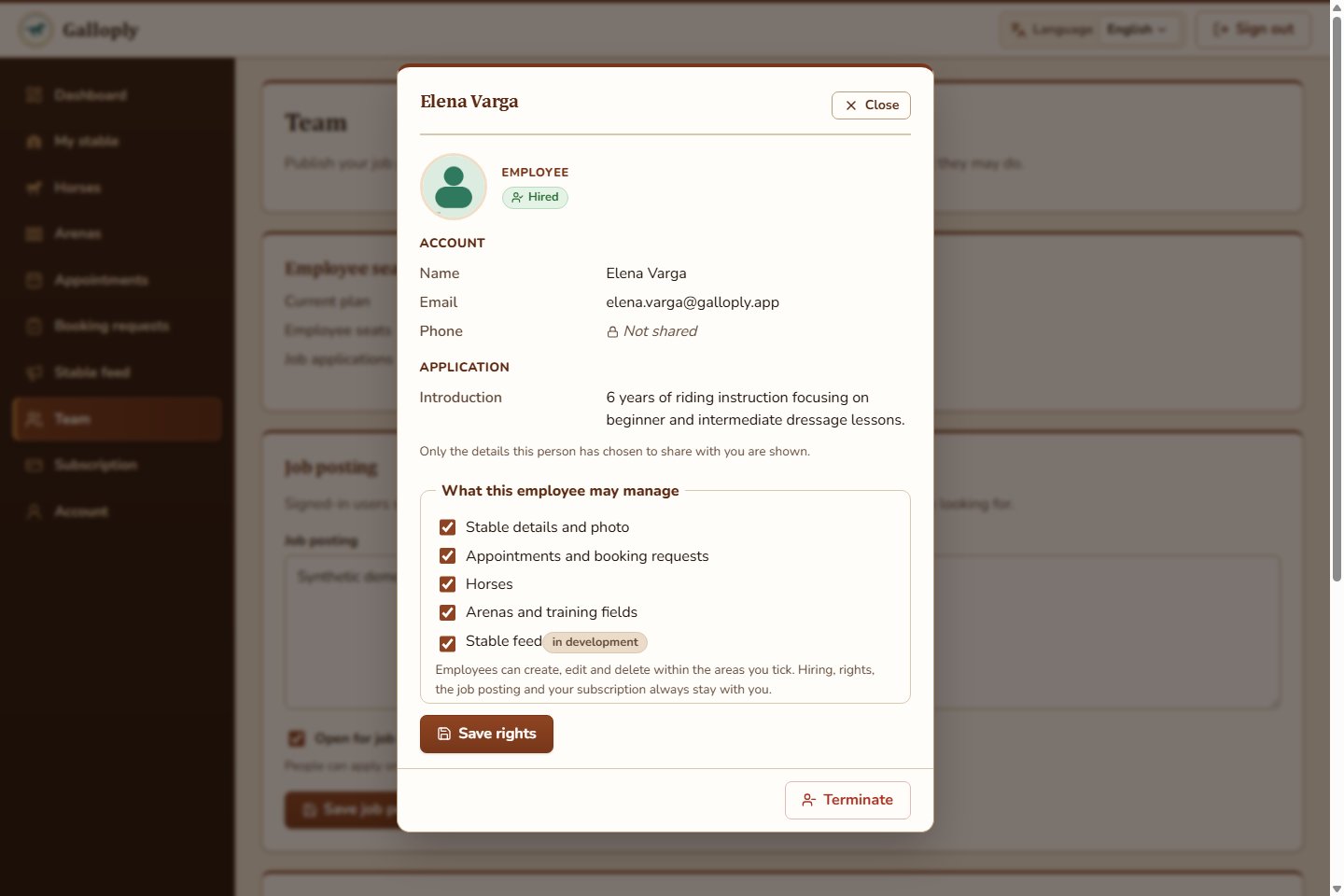
Not every employee needs the same tools. Once you hire a team member in Galloply, you control five independent access rights that you can toggle on or off at any time:
- Appointments and booking requests: Create and edit lessons or trail rides, assign free instructors, and add walk-in riders without accounts.
- Horses: Add and update horse profiles, upload horse photos, and maintain rider height, weight and workload limits.
- Arenas and training fields: Create and maintain arenas and training fields so every lesson has a clear location.
- Stable details and photo: Update the stable's public description, contact details, address, and gallery photos.
- Stable feed (in development): Prepare stable news and updates for riders who follow your stable once the feed rolls out.
Step 3: Keep critical business decisions strictly owner-only
Delegating daily preparation does not mean giving up authority over your business. Even when an employee has management permissions, Galloply's backend keeps the most sensitive actions strictly owner-only:
- Final booking decisions and lifecycle control: Only the stable owner can accept or reject rider booking requests, close or reopen bookings, mark appointments as finished with an experience summary, or cancel and delete appointments.
- Team and hiring authority: Only the owner can publish job postings, review applicants, change employee permissions, or end an employment relationship.
- Cross-stable isolation: Every permission check is enforced on the server, ensuring an employee's access applies strictly to your stable and stops the instant their employment ends.
Step 4: Coordinate across the web workspace and the mobile app
Stable work happens in two very different places: at a desk when planning the week ahead, and in the barn aisle with a phone in one hand.
Galloply gives your team both surfaces under the same account:
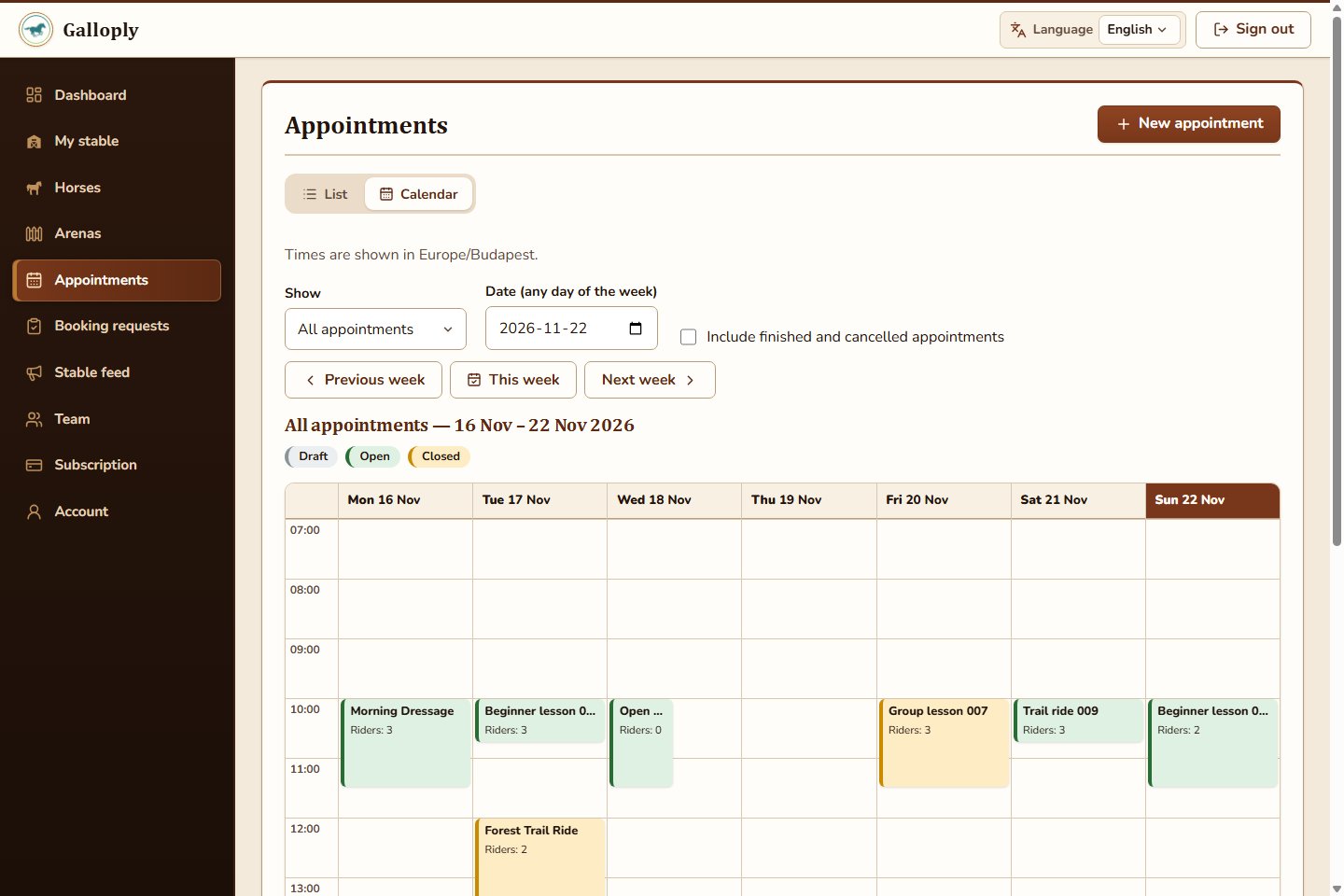
- In the web workspace: Owners and authorized employees can view the weekly schedule calendar filtered by all appointments, arena, horse, or instructor, click any time slot to create an appointment, and spot scheduling gaps at a glance.
- In the mobile app: Staff in the barn can check upcoming sessions, review assigned horses, and update details on the spot without walking back to the office.
A practical delegation blueprint for a 15-horse stable
- Head Instructor: Grant Appointments and Horses rights so they can build next week's lesson schedule, add phone walk-ins, and keep horse workload limits up to date.
- Barn Manager / Groom: Grant Horses and Arenas rights so they can keep horse photos, fitness notes, and arena statuses accurate.
- Stable Owner (You): Spend 5 minutes each morning reviewing the Needs attention queue, approving booking requests, and checking horse assignments before filling any remaining open slots.
What you gain when you delegate safely
- Evenings off: Routine data entry and schedule prep are shared with the people closest to the daily work.
- No password sharing: Every employee signs in with their own verified account, and permissions can be adjusted in two clicks.
- Total peace of mind: Server-enforced permissions protect your bookings, horses, and stable settings around the clock.
Ready to share the workload without losing control? Explore Galloply, set up your stable workspace, and build a team workflow that scales with your barn.